Skip to content

Features

Everything you need to plan, cook, and keep going.

Cook

Stay with you in the kitchen

Guided Cooking

One clear step at a time — quantities, timers, and help within reach.

  • Follow the current step without scrolling a wall of text.
  • Use timers and ingredient amounts as you cook.
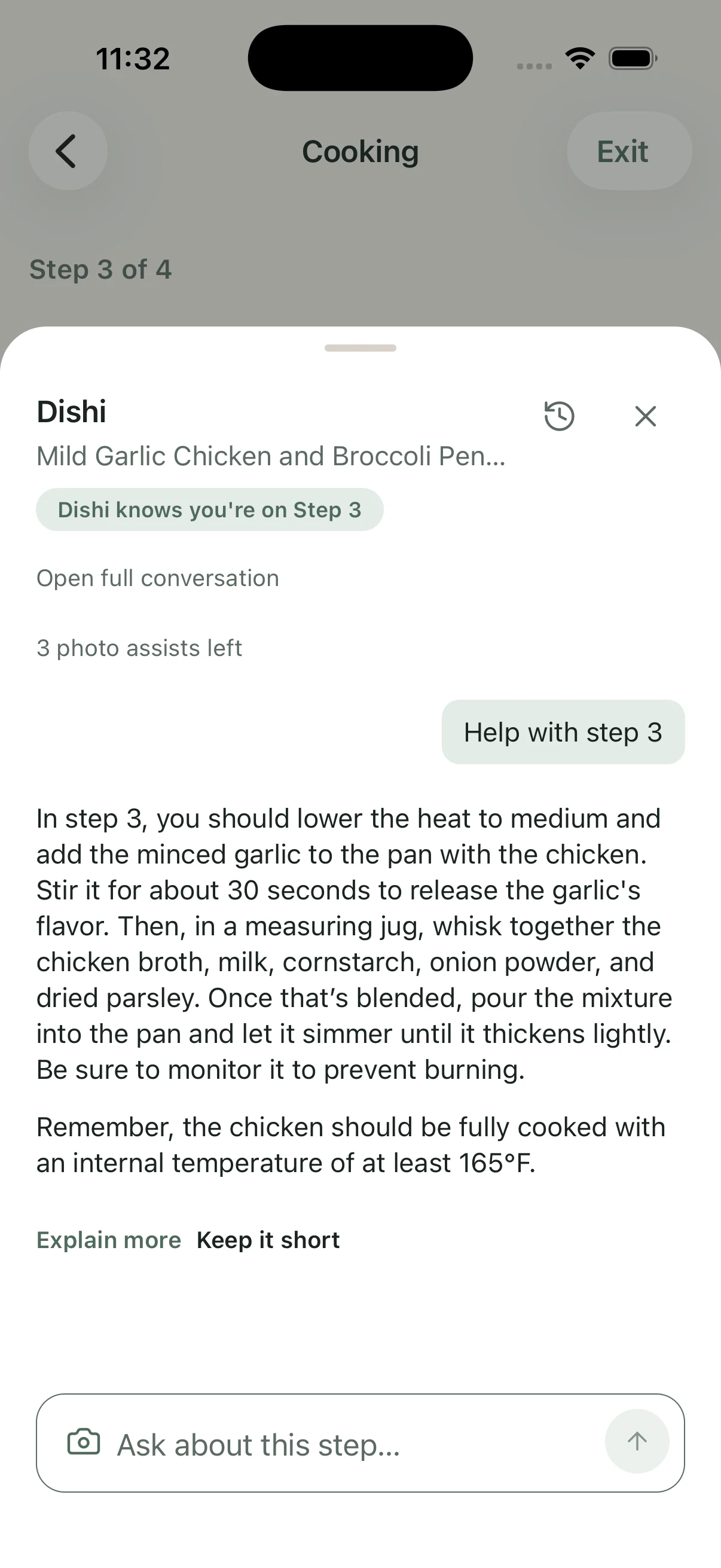
  • Ask Dishi or use Photo Cooking Rescue when something is unclear.
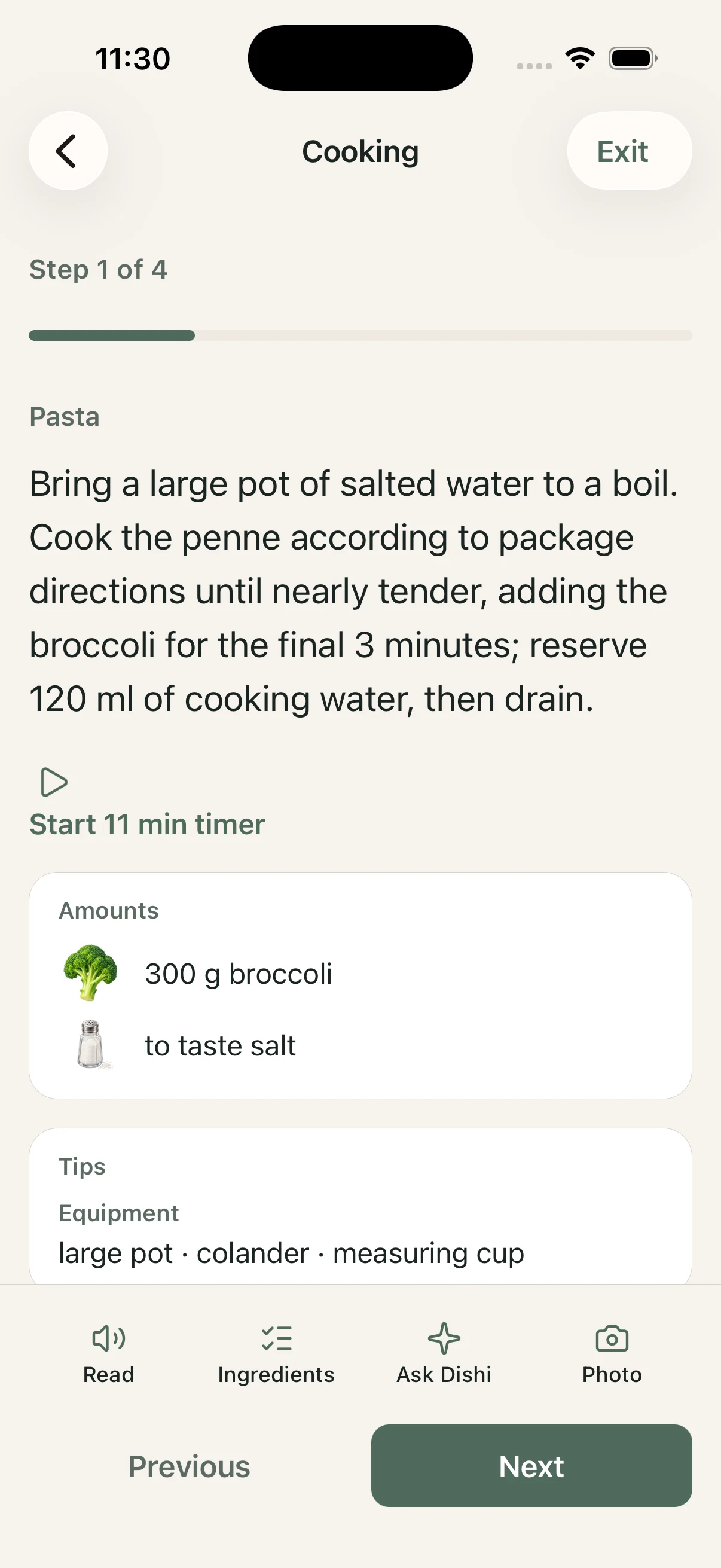
Guided Cooking screen showing a recipe step, timer, ingredient amounts, and Dishi help actions.

Ask Dishi

Get contextual help on substitutions, ingredients, and the step you are on.

  • Ask about the recipe you are cooking — not a generic chat.
  • Grounded answers from reviewed recipes and your Cookbook.
  • Always review ingredients and allergy notes carefully.
Ask Dishi and Photo Cooking Rescue during a Guided Cooking step.

Photo Cooking Rescue

Show Dishi what you are seeing when the pan does not look right.

  • Snap a cooking photo for contextual guidance.
  • Text and safety notes remain the authority.
  • A photo does not prove doneness.

Plan

Organize the week before dinner rushes you

Weekly Meal Planning

Build a flexible week of meals and adjust as plans change.

  • Schedule meals across the week on your phone.
  • Move dishes around when the week shifts.
  • Keep leftovers and grocery connected to the same plan.
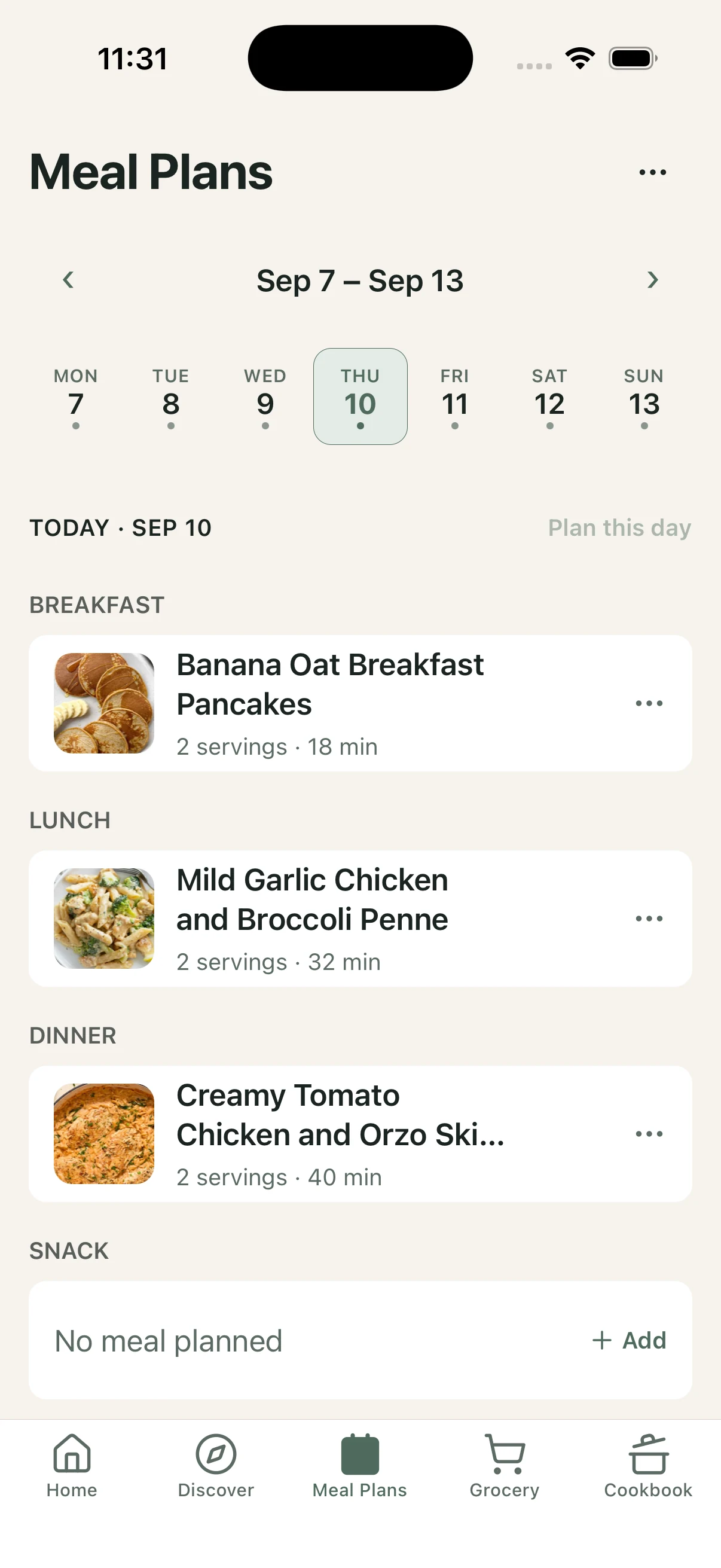
DishDelightful weekly Meal Plan with meals scheduled across the week.

Grocery

Turn planned meals into one consolidated shopping list.

  • Shop from the week’s ingredients in one place.
  • Keep items organized for the trip.
  • Avoid juggling separate lists for every meal.

Pantry support

Lean on what you already have when deciding what to cook.

  • Keep pantry context in the app.
  • Reduce duplicate shopping.
  • Make weeknight choices from ingredients you own.

Discover & create

Find meals worth cooking — and keep your own

Recipe discovery

Browse reviewed recipes shaped by how you like to cook.

  • Discover meals that fit your preferences.
  • See useful recipe detail before you start.
  • Start cooking when you are ready.
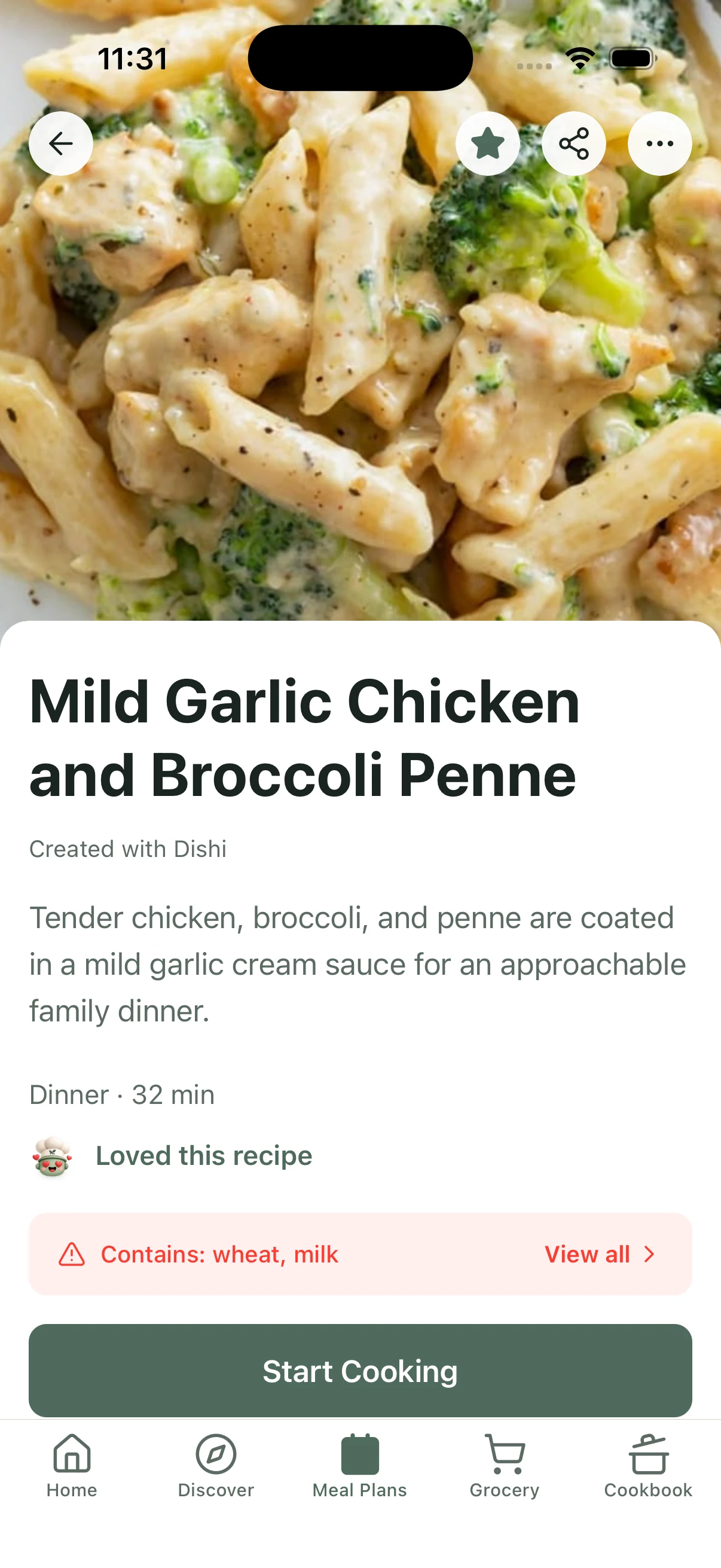
DishDelightful recipe detail screen with recipe image and Start Cooking action.

Create and import

Bring family recipes into DishDelightful, or create something new with Dishi.

  • Add recipes to your personal Cookbook.
  • Keep the dishes you already cook searchable.
  • Create with Dishi when you want a new starting point.

Personal Cookbook

Favorites, your recipes, and collections — organized around how you cook.

  • Save what you love.
  • Keep My Recipes and Collections close.
  • Return to dishes that worked without starting over.
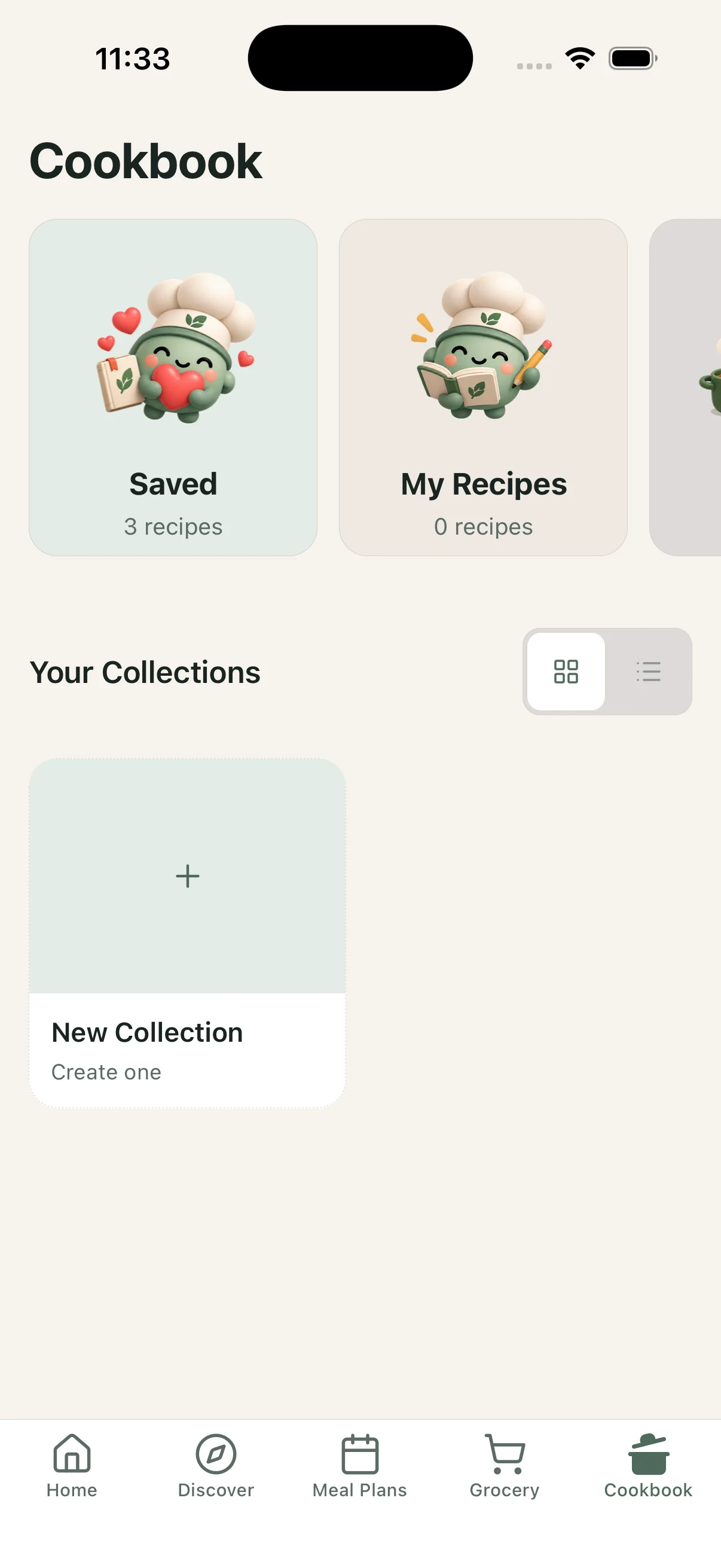
DishDelightful Cookbook with Saved, My Recipes, and Collections.

Understand & remember

Learn from meals you already made

Meal Scan

Photograph a meal for a useful estimate you can review and adjust.

  • Get a quick read on a meal you made or ordered.
  • Correct what does not look right.
  • Estimates are informational — not medical-grade analysis.

Ratings and history

Remember what worked so the next dinner is easier.

  • Save favorites and revisit successful cooks.
  • Build a personal cooking memory over time.
  • Skip regenerating from scratch when you already know what you like.

Prefer the short version? See the five-step journey from preferences to Guided Cooking.