Skip to content

Save it. Plan it. Make it yours.

From “I want to try that” to “I made that.”

Discover recipes that inspire you. Save what you love, plan your week, and make every recipe your own — with a little help from Dishi.
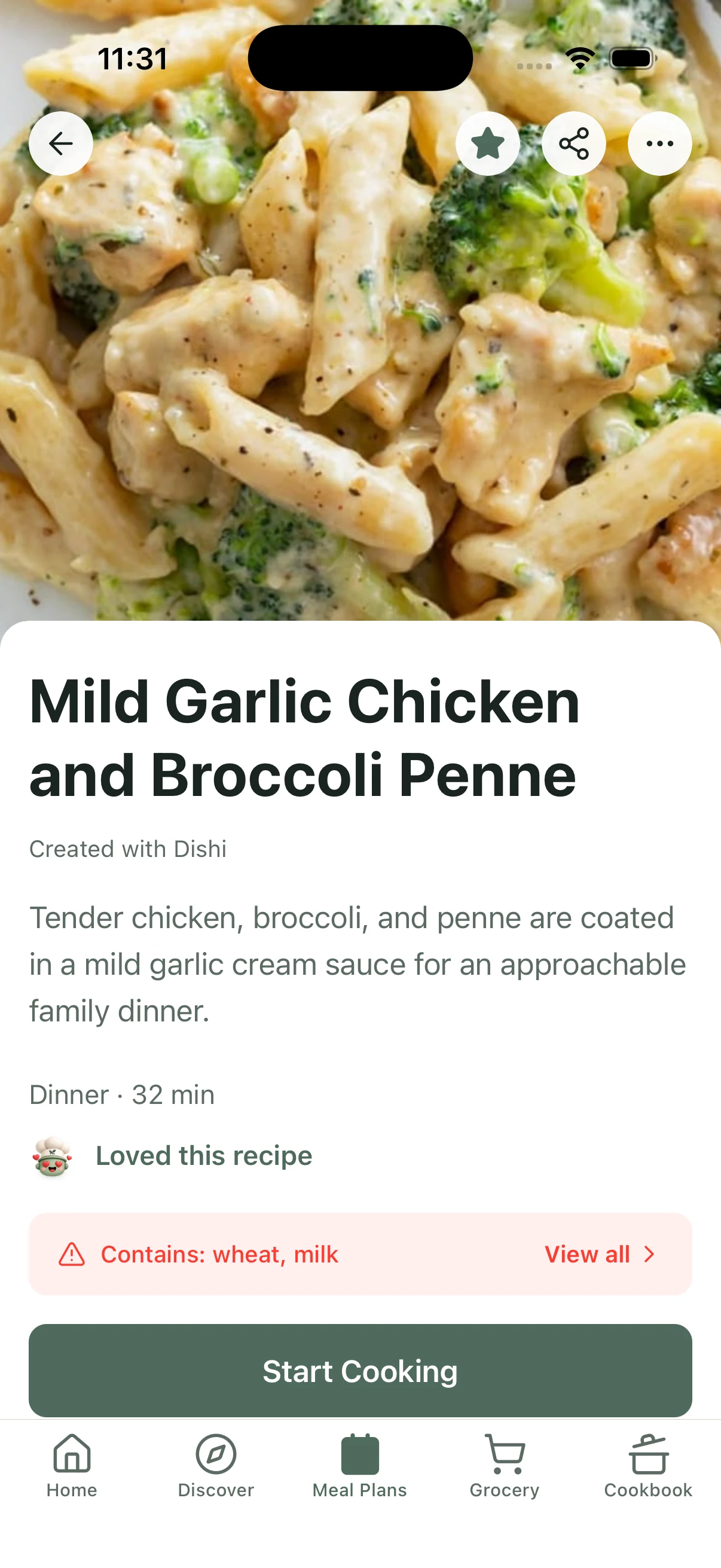
Recipe page for Carrot and Lentil Salad with Poached Eggs, with a large food photo, taste notes, allergens, and a Start Making button.
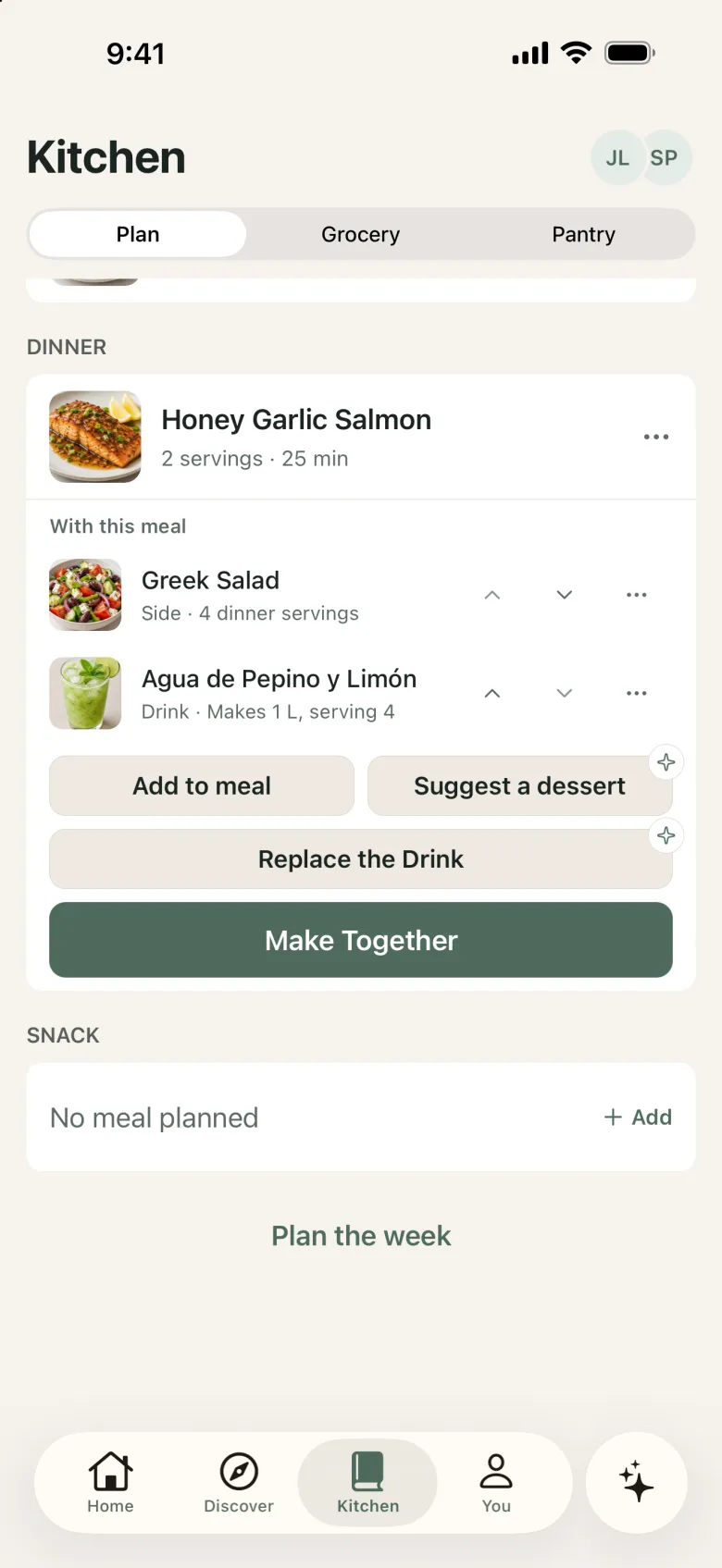
A planned dinner of Honey Garlic Salmon with a Greek salad side and an agua fresca drink, with a Make Together button.
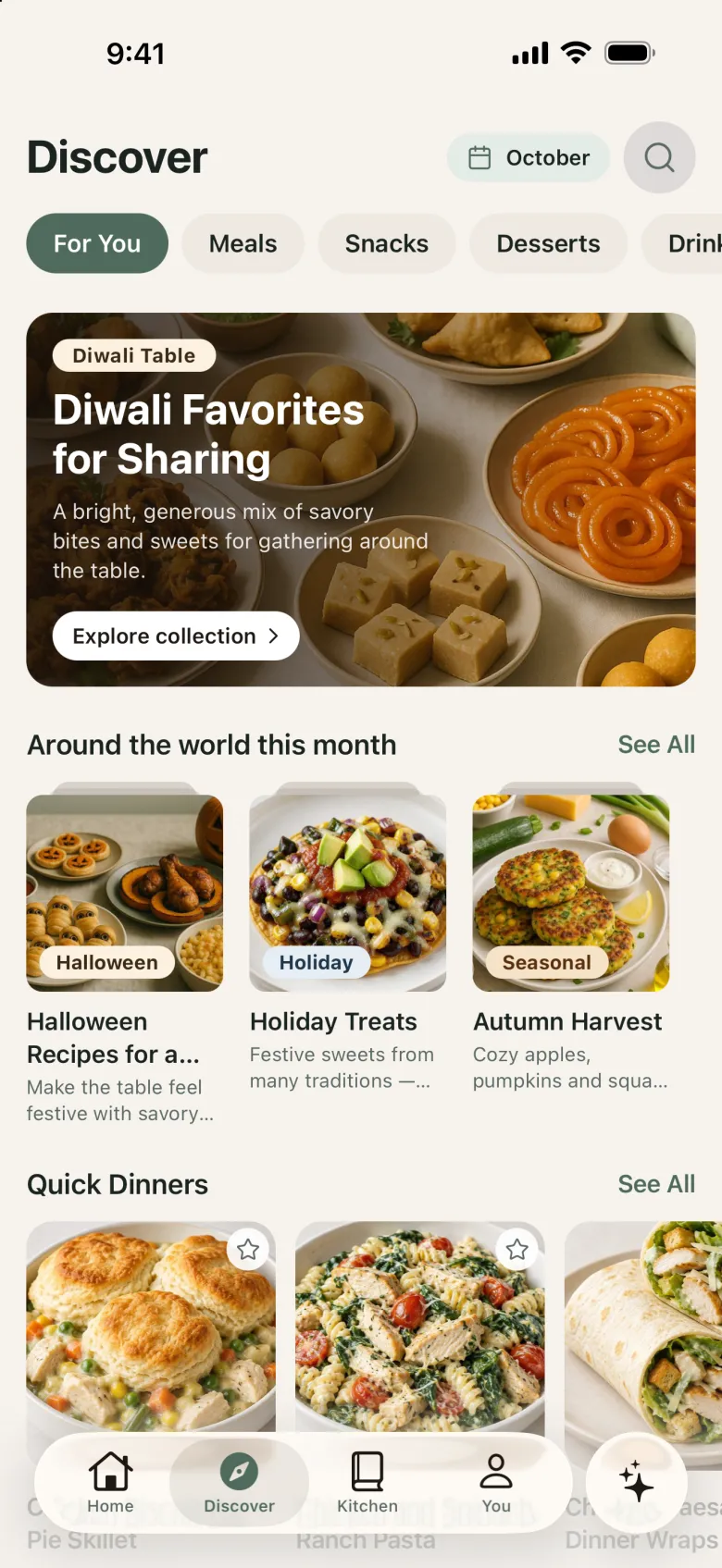
Discover tab with a featured recipe collection, seasonal collections, and quick dinner ideas.

How it works

Save it. Plan it. Make it yours.

  1. Save what inspires you.

    Keep the recipes you discover — and your own — organized in one personal Cookbook.

  2. Make a plan that fits your life.

    Plan your meals, bring dishes together, and keep your groceries in step.

  3. Actually make it.

    Cook step by step, get help from Dishi, and remember what worked for next time.

Discover and save

Every great meal starts with an idea.

Explore recipes for everyday cooking, special occasions, baking, desserts, and refreshing drinks. Save the ones you love and keep them ready for later.
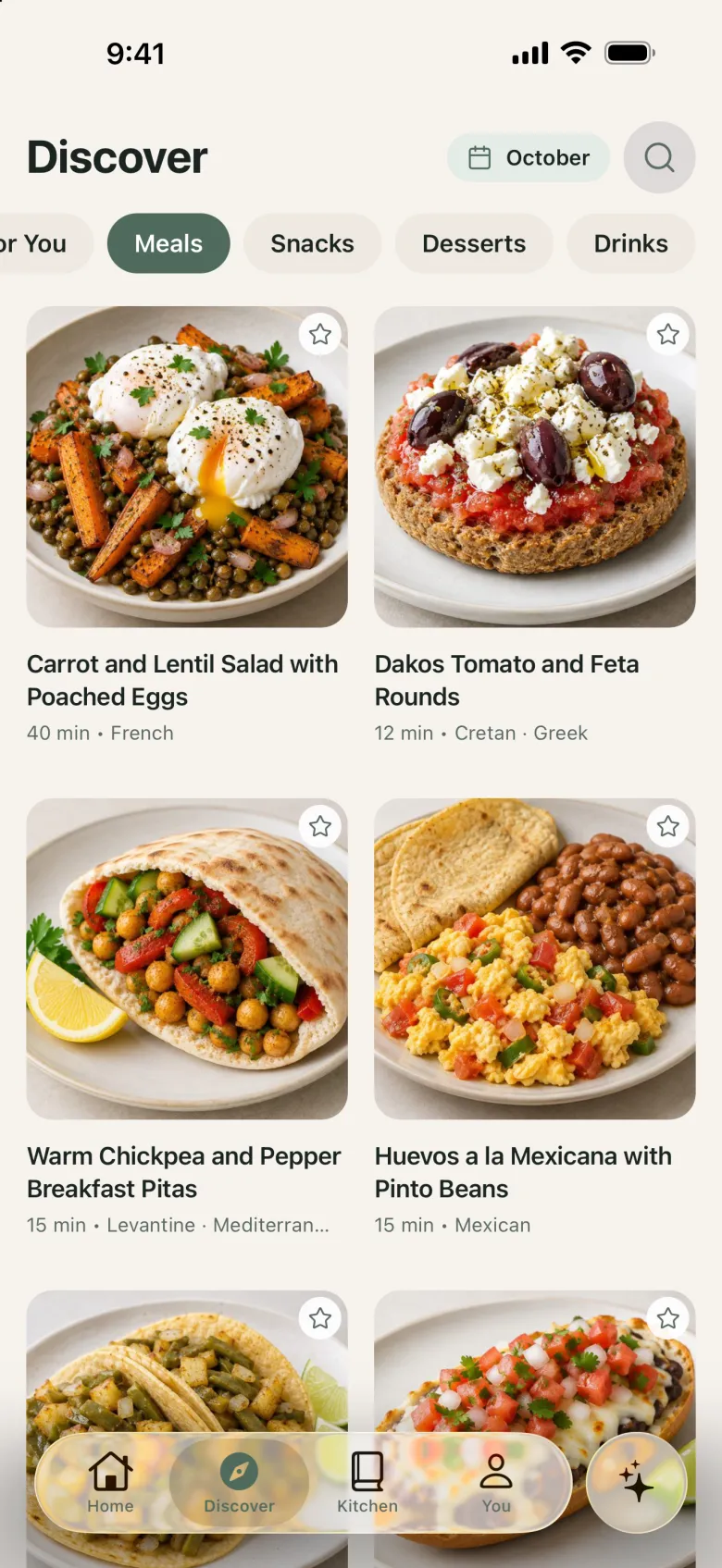
  • Browse meals, sides, snacks, desserts, and drinks
  • Save favorites to your personal Cookbook
  • Add your own recipes from a link, text, or photo — and review them before they’re saved
Discover Meals tab with a grid of main-dish recipes and their cooking times.
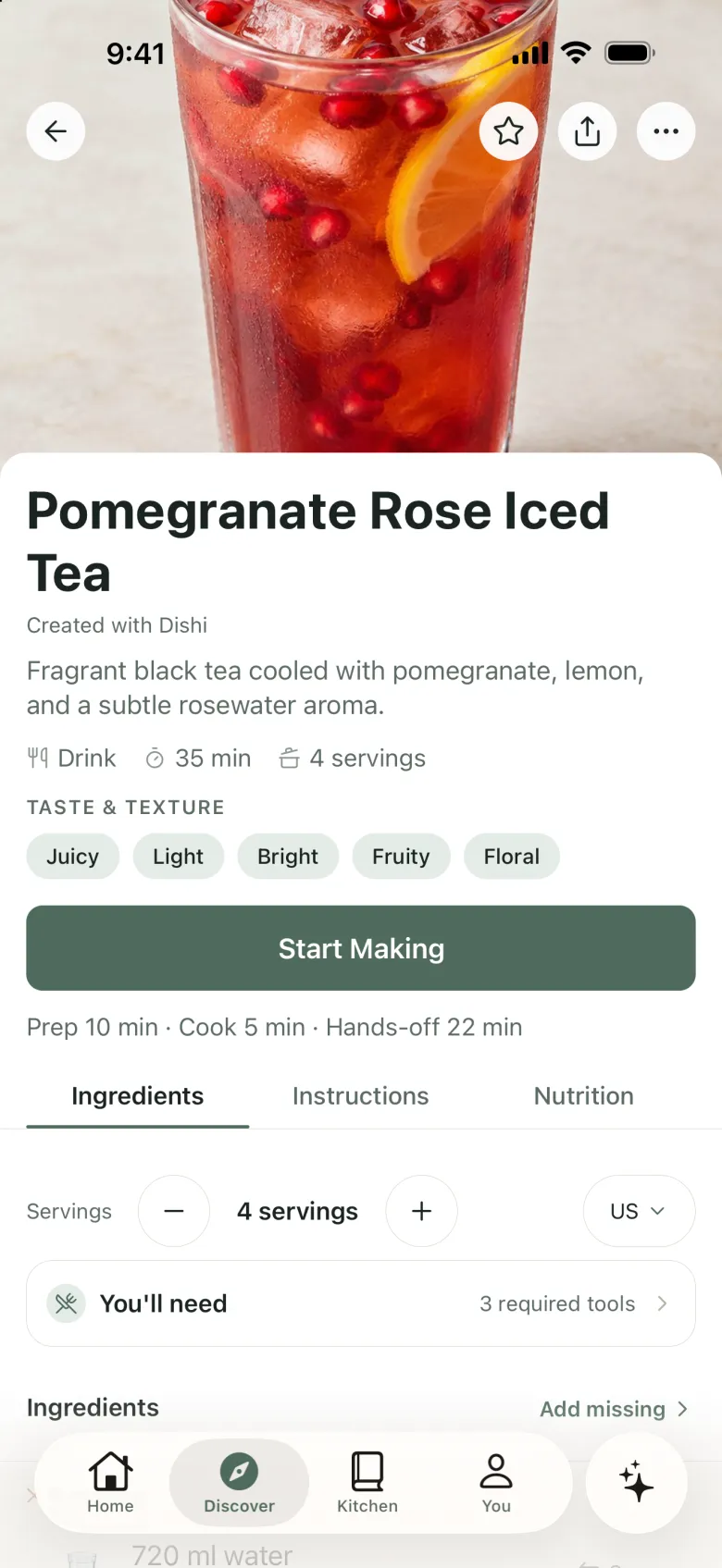
Recipe page for Pomegranate Rose Iced Tea with a large photo, taste notes, and a Start Making button.

Meal planning

Your week, beautifully planned.

Bring meals together, make room for your favorites, and organize the week around how you actually cook.

  • Plan breakfast, lunch, and dinner across the week
  • Round out a main with sides, drinks, and desserts
  • Swap a meal when the week changes

Free includes a couple of generated plans each month. Planning every week — including from your own Cookbook recipes — is part of Premium.
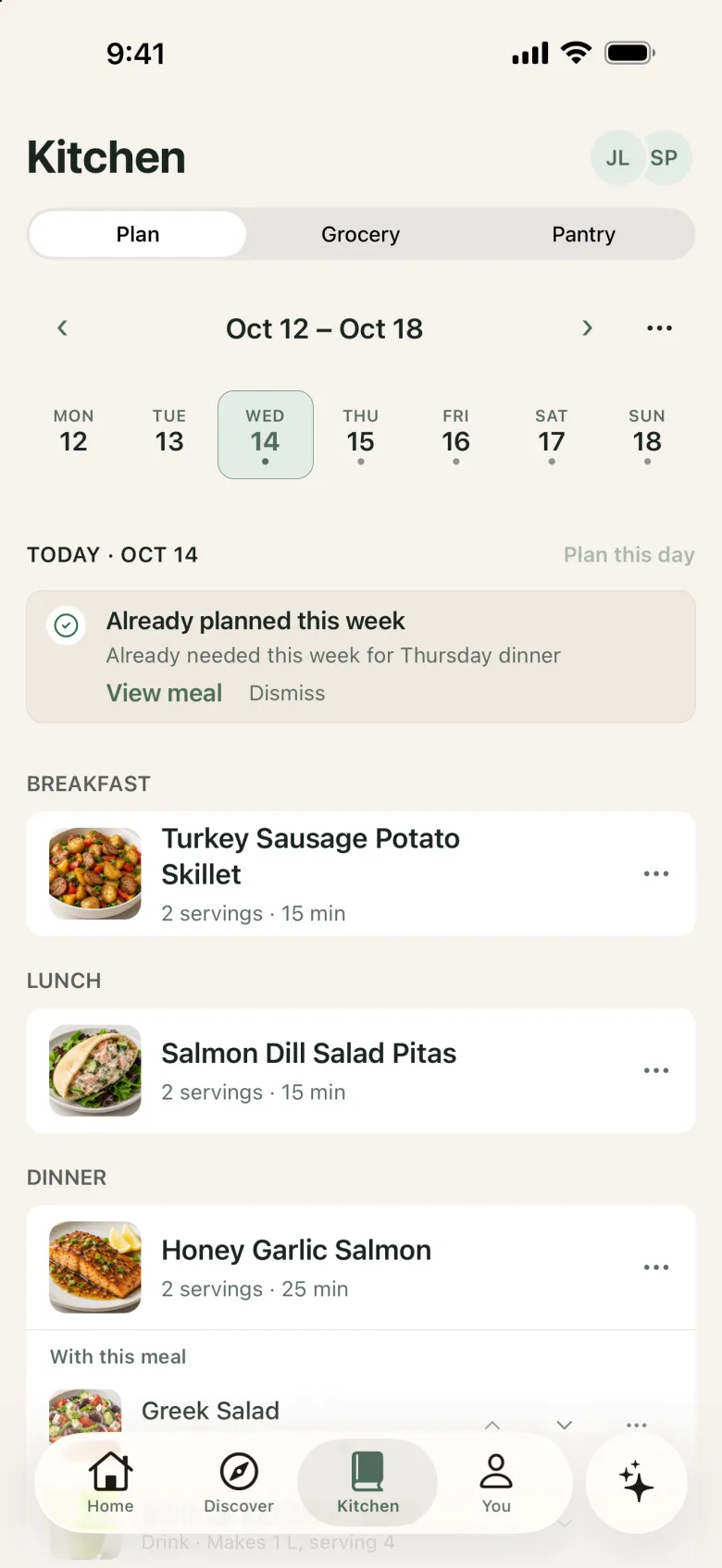
Kitchen Plan tab with a week strip and breakfast, lunch, and dinner planned for the day.
A planned dinner of Honey Garlic Salmon with a Greek salad side and an agua fresca drink, with a Make Together button.

Grocery and pantry

Planning is only the beginning.

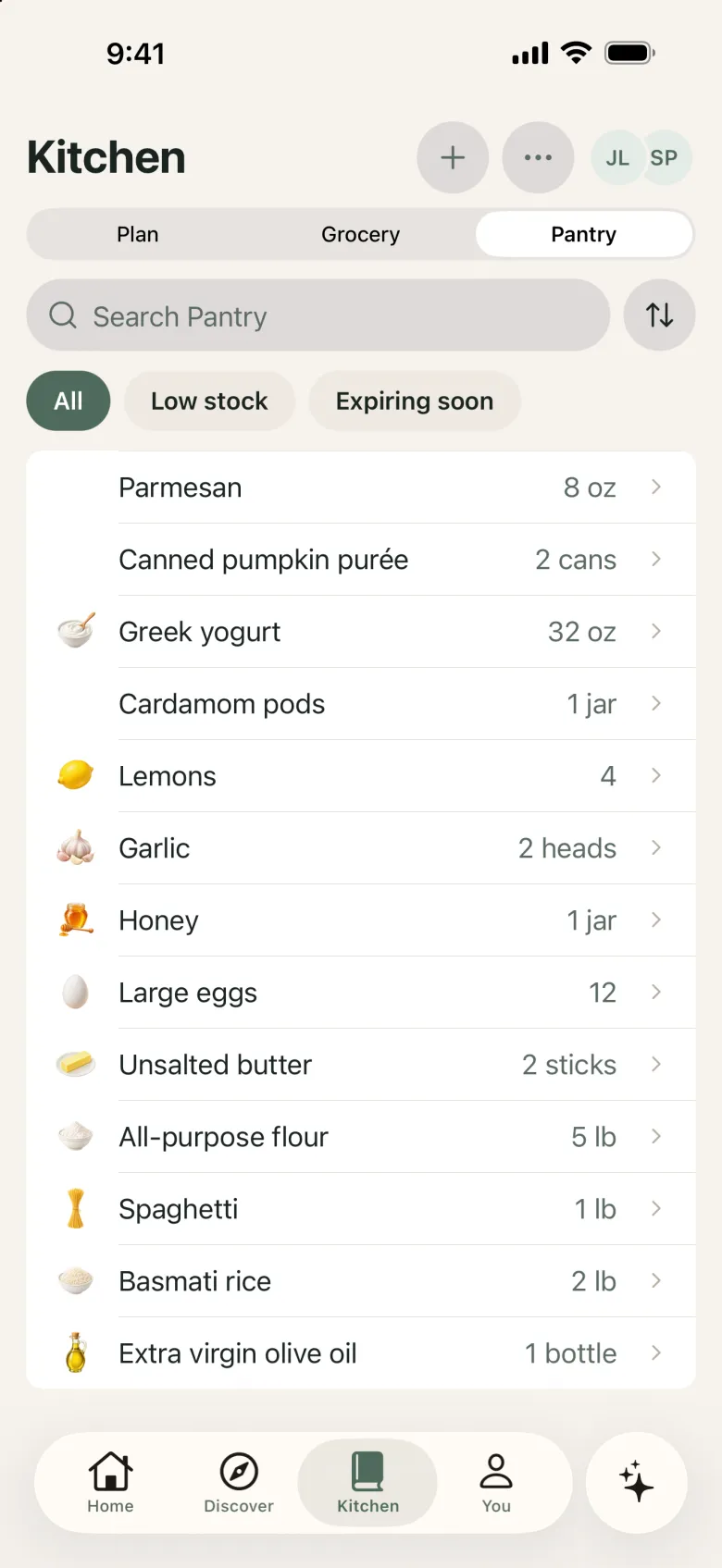
Your grocery list comes from your plan, sorted by aisle. Keep track of what’s already in your pantry so you know what to pick up.
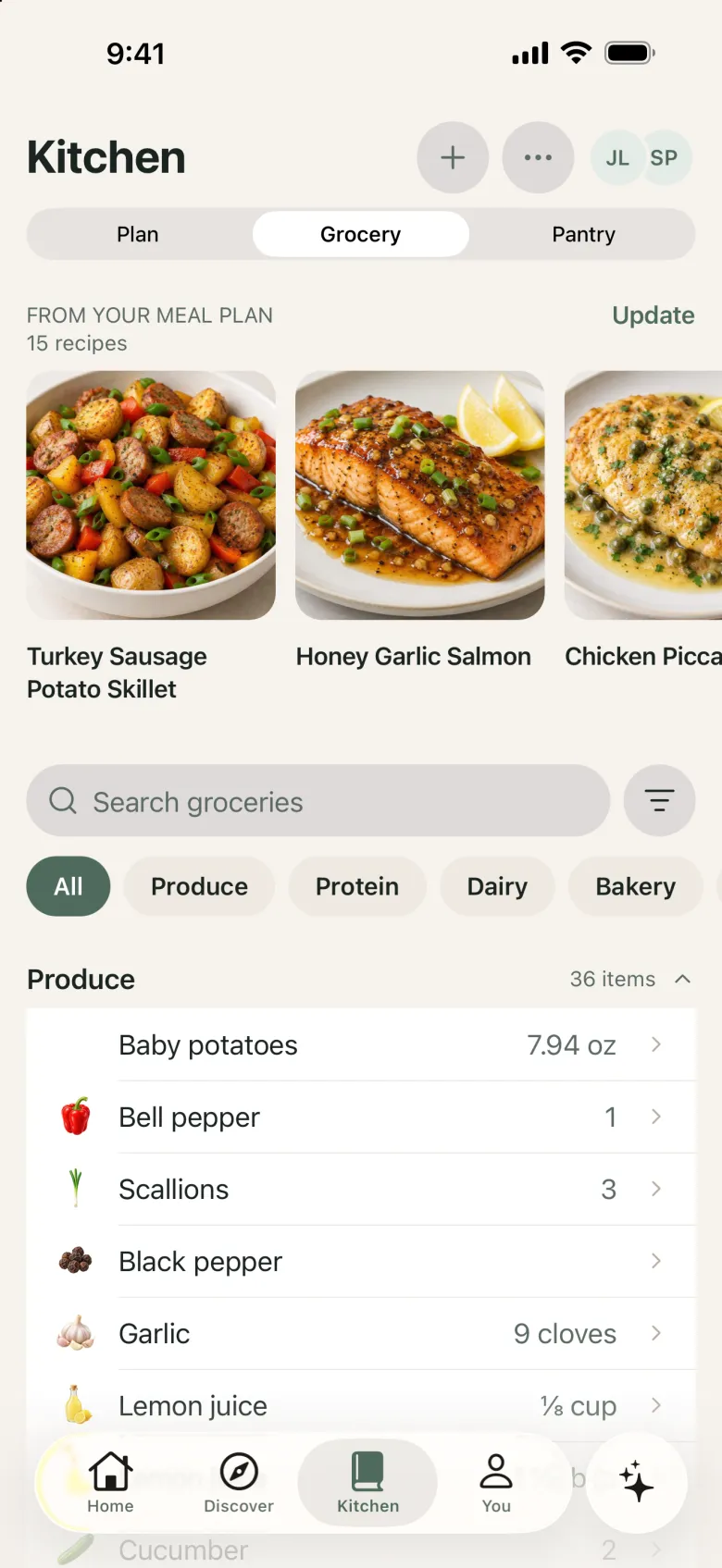
Kitchen Grocery tab showing recipes from the meal plan and a shopping list grouped by aisle.
Kitchen Pantry tab listing ingredients on hand with quantities and Low stock and Expiring soon filters.

Make Together

Make more together.

Preparing more than one recipe? DishDelightful brings the steps for every dish in your meal into one coordinated list, so the main, the side, and dessert come together around the same time.

  • See what to do now, and what’s up next
  • Steps from each recipe, in one order
  • Each recipe keeps its own servings and safety guidance

Times are estimates from the recipes as written. Always check doneness before serving.
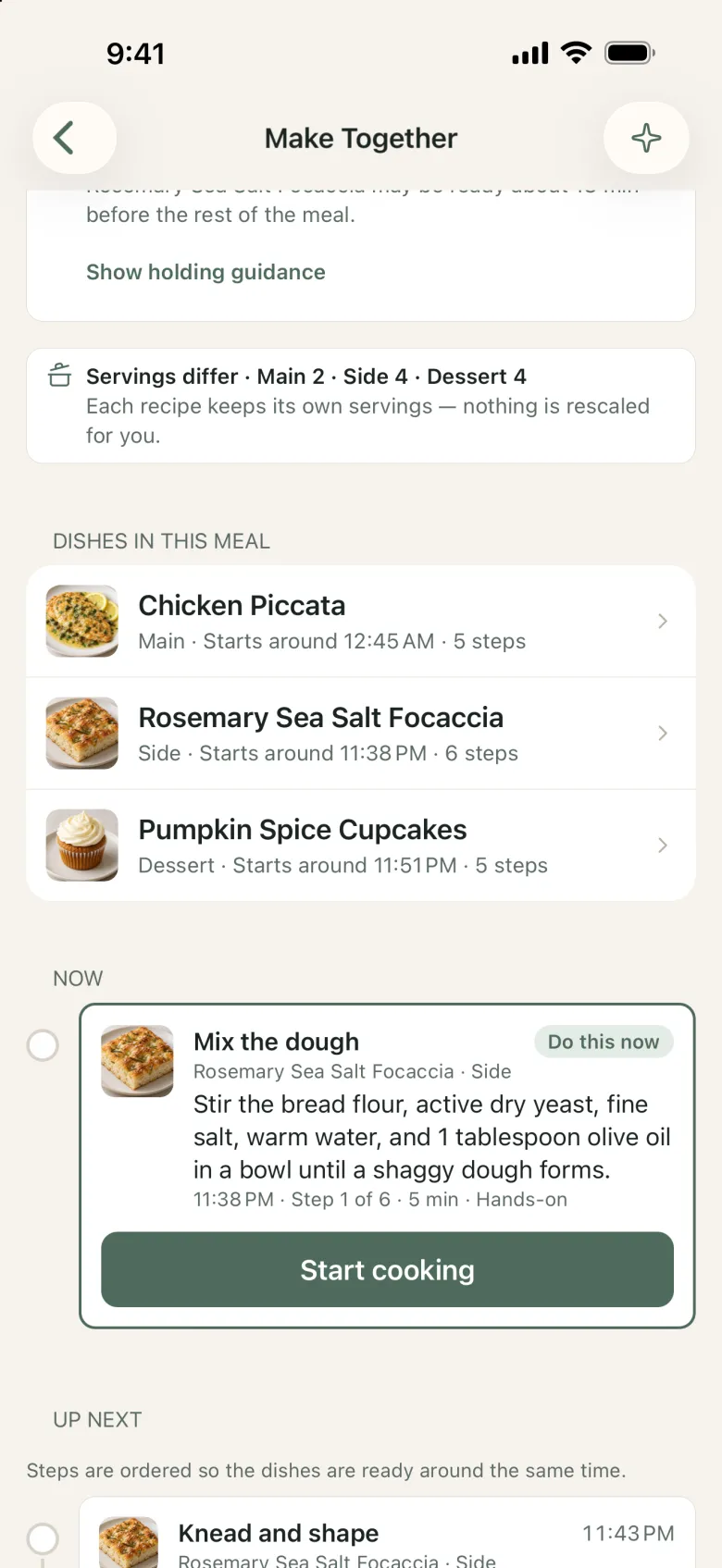
Make Together screen listing a main, side, and dessert, with the step to do now and a Start cooking button.
Dishi, the DishDelightful mascot: a smiling sage-green cooking pot

Your cooking companion

Meet Dishi.

A little help goes a long way in the Kitchen.

Need a substitution? Not sure about a cooking step? Want to make a recipe your own? Dishi helps you figure out what to do next — right from the recipe you’re looking at.

  • What can I substitute?
  • Can I make this ahead?
  • How do I know it’s done?

Dishi can make mistakes and isn’t medical, dietary, or allergy advice. Always check labels and doneness yourself.
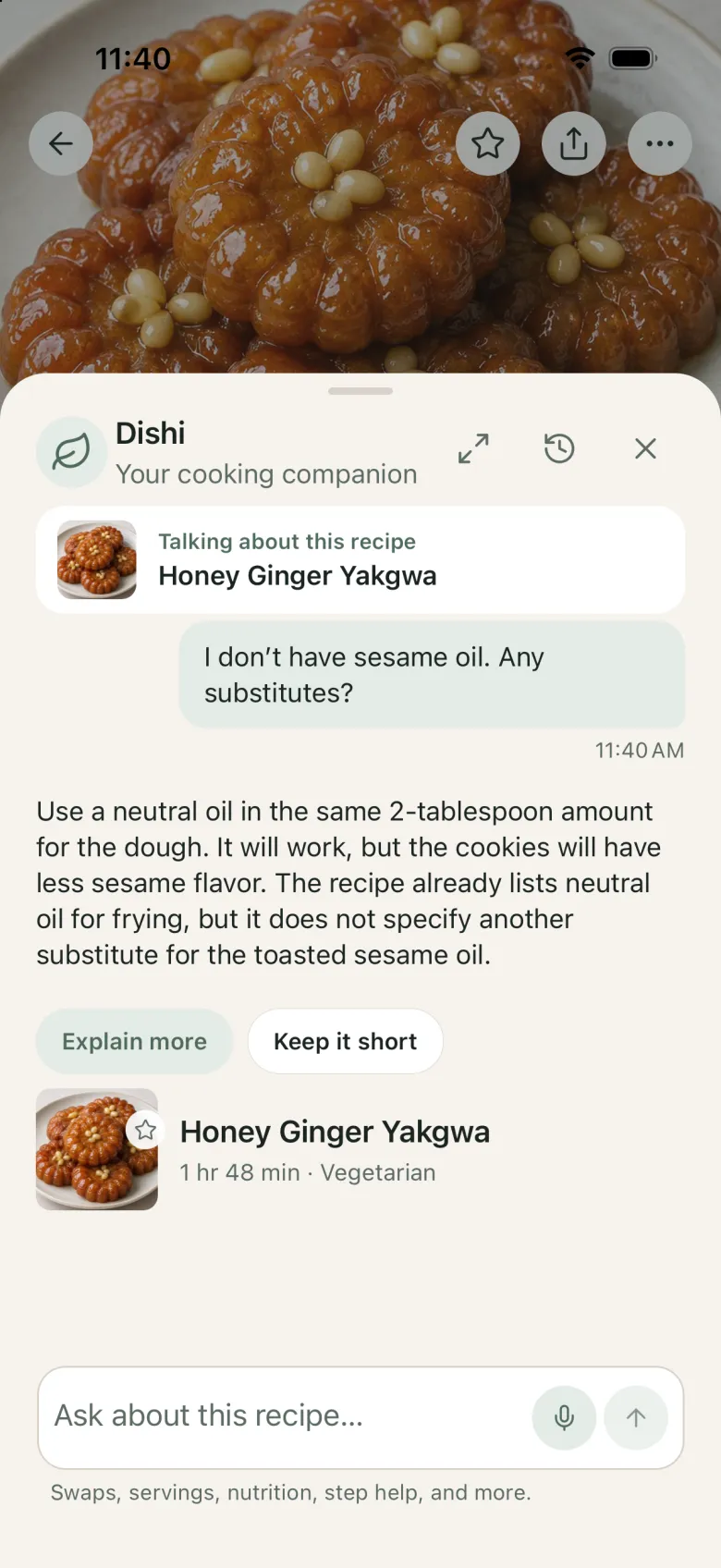
Dishi answering “I don’t have sesame oil. Any substitutes?” on a Honey Ginger Yakgwa recipe: use a neutral oil in the same 2-tablespoon amount, with a little less sesame flavor.

My Version and Cooking Memory

Your recipe. Your way.

Change what works for you, save your own version, and remember what you learned the next time you cook.
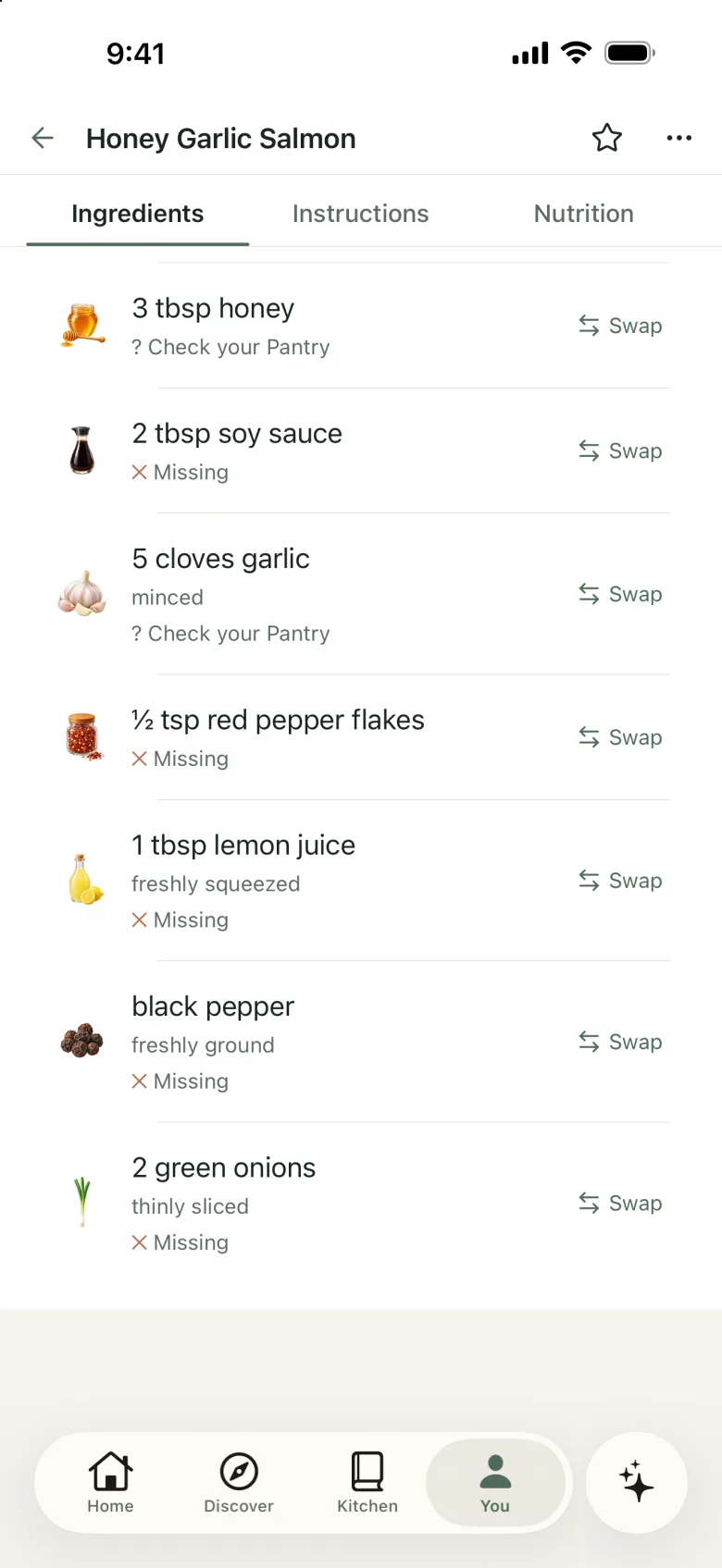
  • My Version keeps your changes — more garlic, a little heat — next to the original
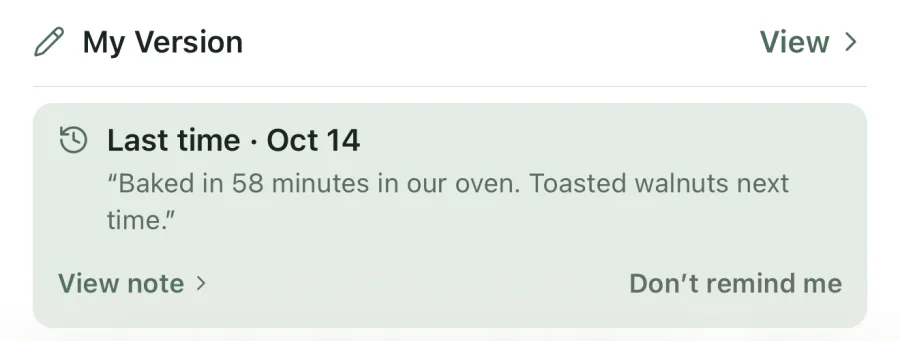
  • Cooking Memory brings back your note from last time
  • Mark what you loved, and find it again in your Made history
My Version ingredient list with personalized amounts such as 5 cloves garlic and ½ tsp red pepper flakes, each with a Swap option.
A Last time memory card from October 14 with the cook’s own note: “Baked in 58 minutes in our oven. Toasted walnuts next time.”

More than meals

Whatever you’re craving, there’s more to make.

  • Discover Meals tab with a grid of main-dish recipes and their cooking times.

    Meals

    Weeknight dinners to slow Sunday cooking.

  • A planned dinner of Honey Garlic Salmon with a Greek salad side and an agua fresca drink, with a Make Together button.

    Sides

    Round out a main with a salad, a bread, or a drink.
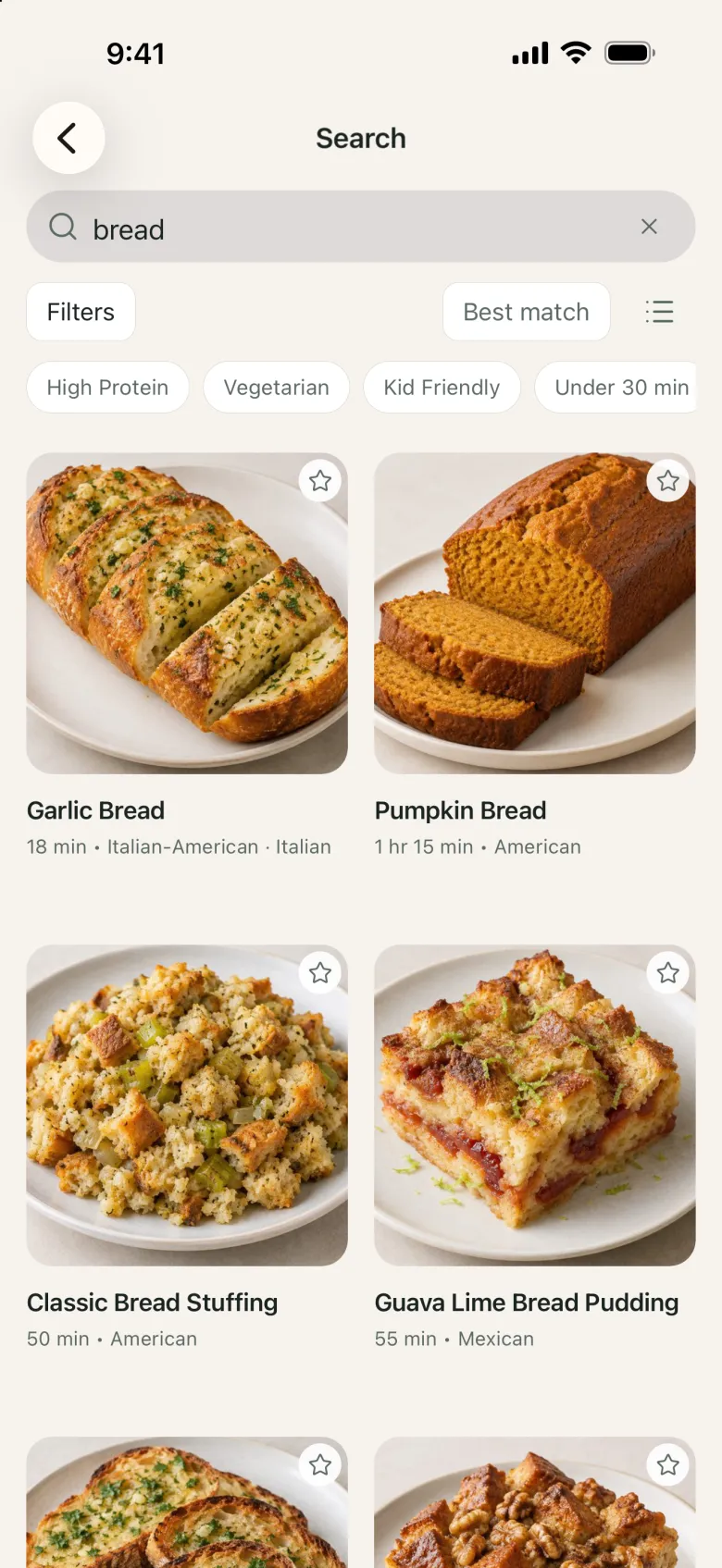
  • Recipe search results for bread, including garlic bread and pumpkin bread.

    Baking

    Breads, loaves, and bakes worth the wait.
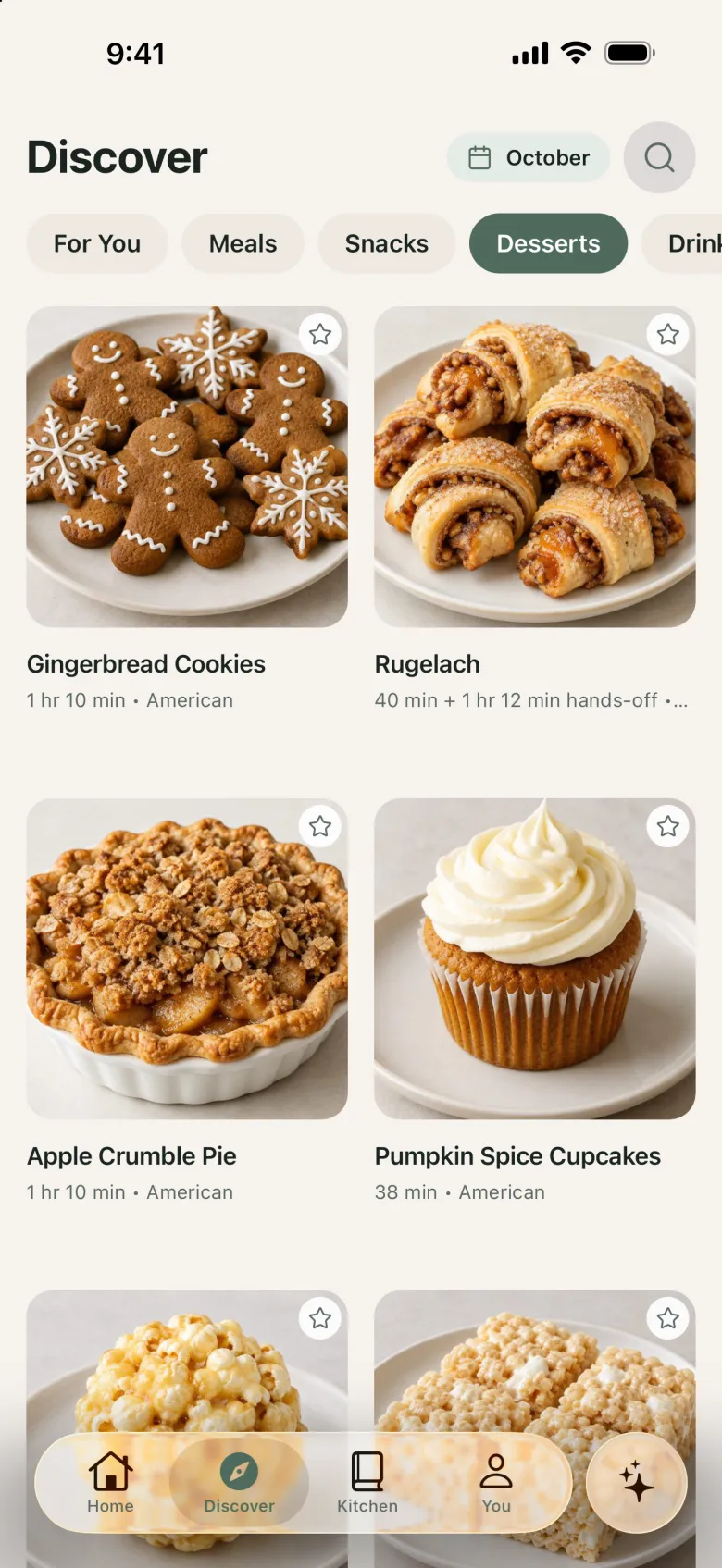
  • Discover Desserts tab with cookies, rugelach, apple crumble pie, and pumpkin spice cupcakes.

    Desserts

    Cookies, pies, cupcakes, and more.

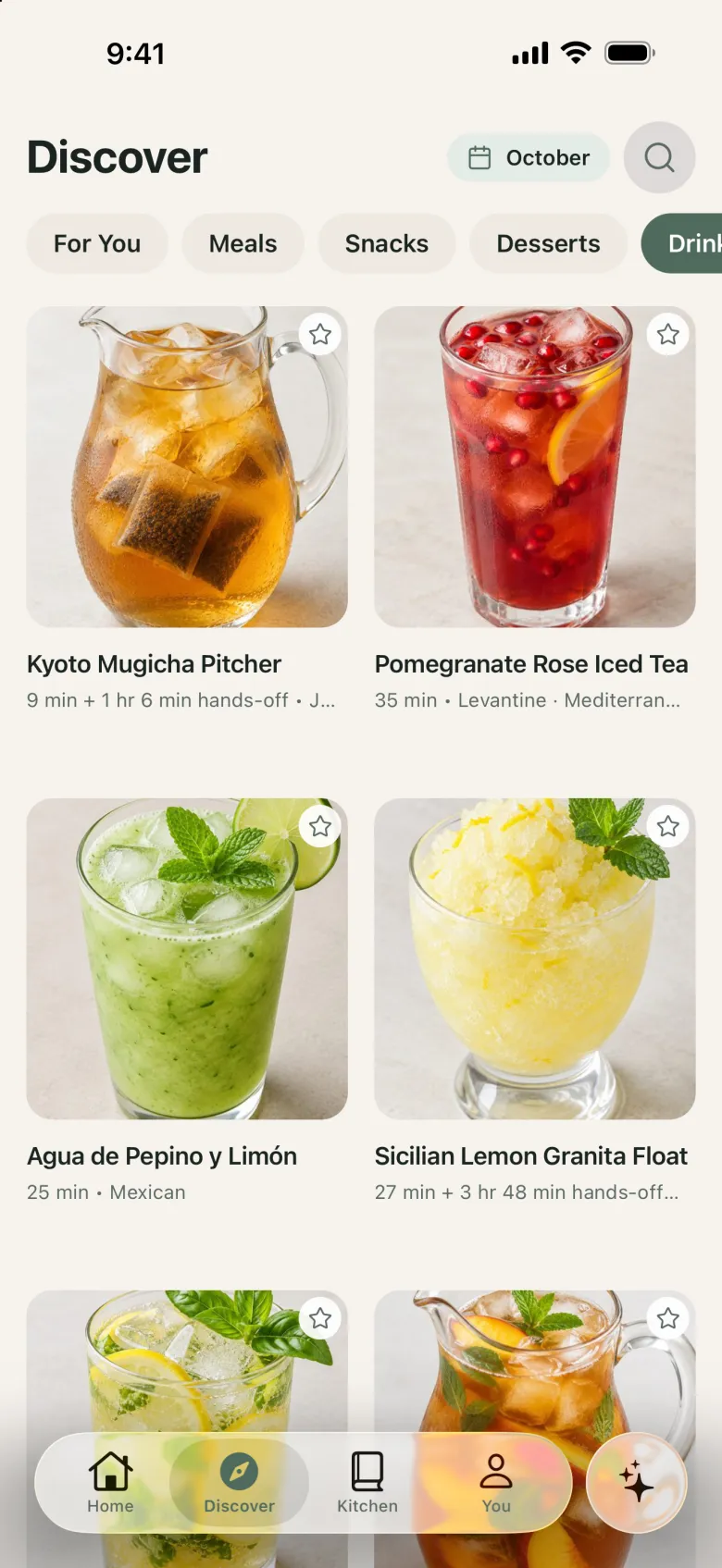
  • Discover Drinks tab with iced teas, agua fresca, and a granita.

    Drinks

    Iced teas, aguas frescas, and refreshing sips.

Shared Kitchen

Better together in one Kitchen.

Keep your meal plan, grocery list, and pantry connected with the people you cook with. Invite someone to your Kitchen and plan side by side.
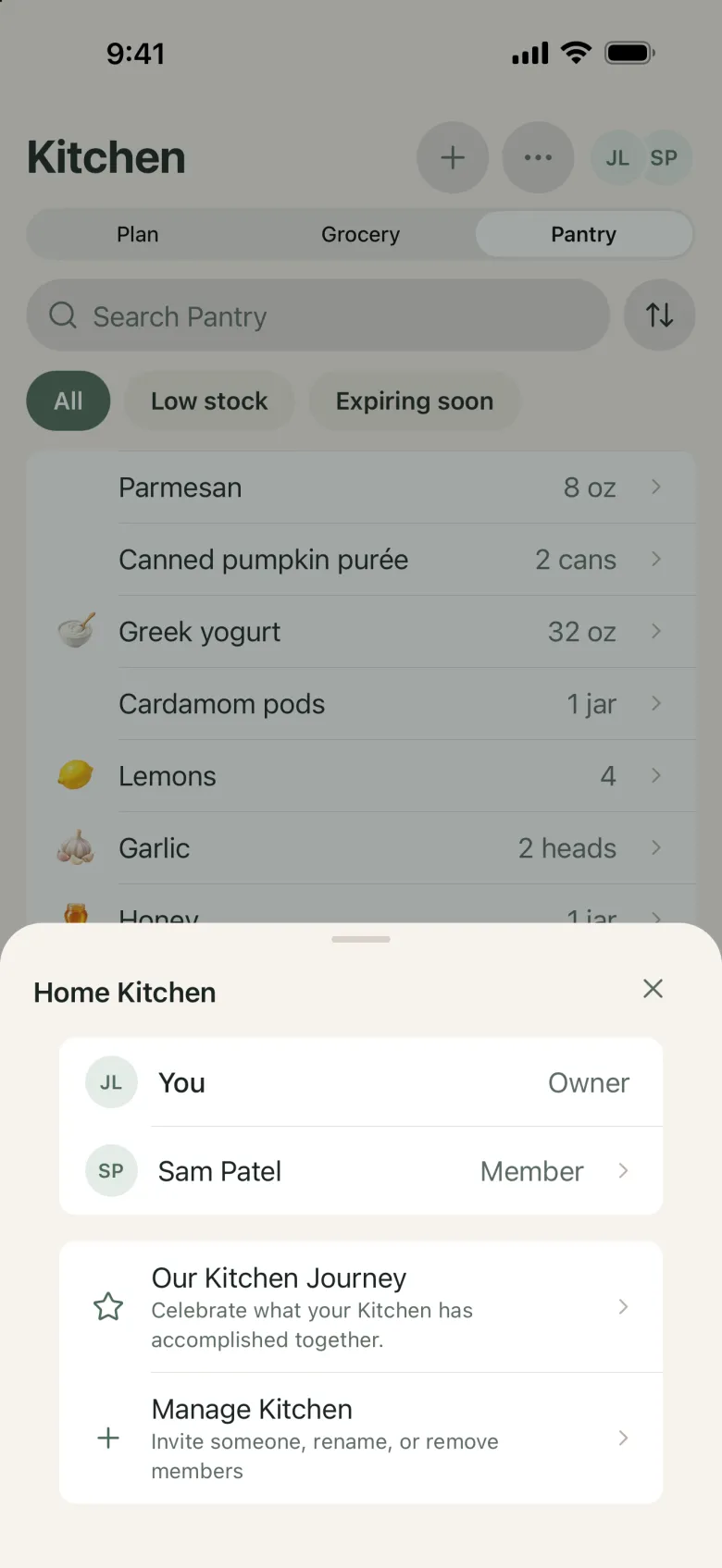
Home Kitchen sheet showing the owner and one member, with options to invite someone or manage the Kitchen.

Free and Premium

Start free. Upgrade when you want more.

Premium is an optional monthly or annual subscription you start in the app, where you’ll see your local price first.

Free

Everything you need to start cooking

  • Discover recipes and save your favorites
  • Your personal Cookbook, with My Version and Cooking Memory
  • A couple of generated weekly meal plans each month
  • Make Together, Grocery, Pantry, and Shared Kitchen

Premium

More planning, more Dishi, more room

  • Plan every week, including from your own Cookbook recipes
  • Much more Dishi help each month
  • More recipe imports and room in your Cookbook
  • Smart Cookbook collections

FAQ

Questions, answered.

What is DishDelightful?

DishDelightful is a cooking companion app. Discover recipes, save the ones you love to your personal Cookbook, plan your meals, and cook step by step — with Dishi there when you have a question.

Can I use DishDelightful for free?

Yes. The Free plan includes Discover, your personal Cookbook, Guided Cooking, Make Together, Grocery, Pantry, Shared Kitchen, and monthly Dishi help. Premium is an optional monthly or annual subscription in the app with more planning, more Dishi help, and more room.

Can I save my own recipes?

Yes. Add recipes from a link, pasted text, or a photo. You review what DishDelightful found before it’s saved to your Cookbook — and you can keep your own version of a recipe with your changes.

Is it only for dinner?

Not at all. DishDelightful has everyday meals and sides, plus baking, desserts, drinks, and snacks.

What does Dishi do?

Dishi is your in-app cooking helper. Ask about substitutions, a confusing step, or how to make a recipe your own, right from the recipe you’re looking at. Dishi can make mistakes and isn’t medical or allergy advice — always check labels and doneness yourself.

Can I plan meals with other people?

Yes. Invite someone to your Kitchen to share your meal plan, grocery list, and pantry.

Is DishDelightful available on iPhone and Android?

Yes. Download DishDelightful from the App Store for iPhone or from Google Play for Android.

Ready to make something delicious?

Your next favorite recipe is waiting. Save it, plan it, and make it yours with DishDelightful.

Download on the App StoreGet it on Google Play